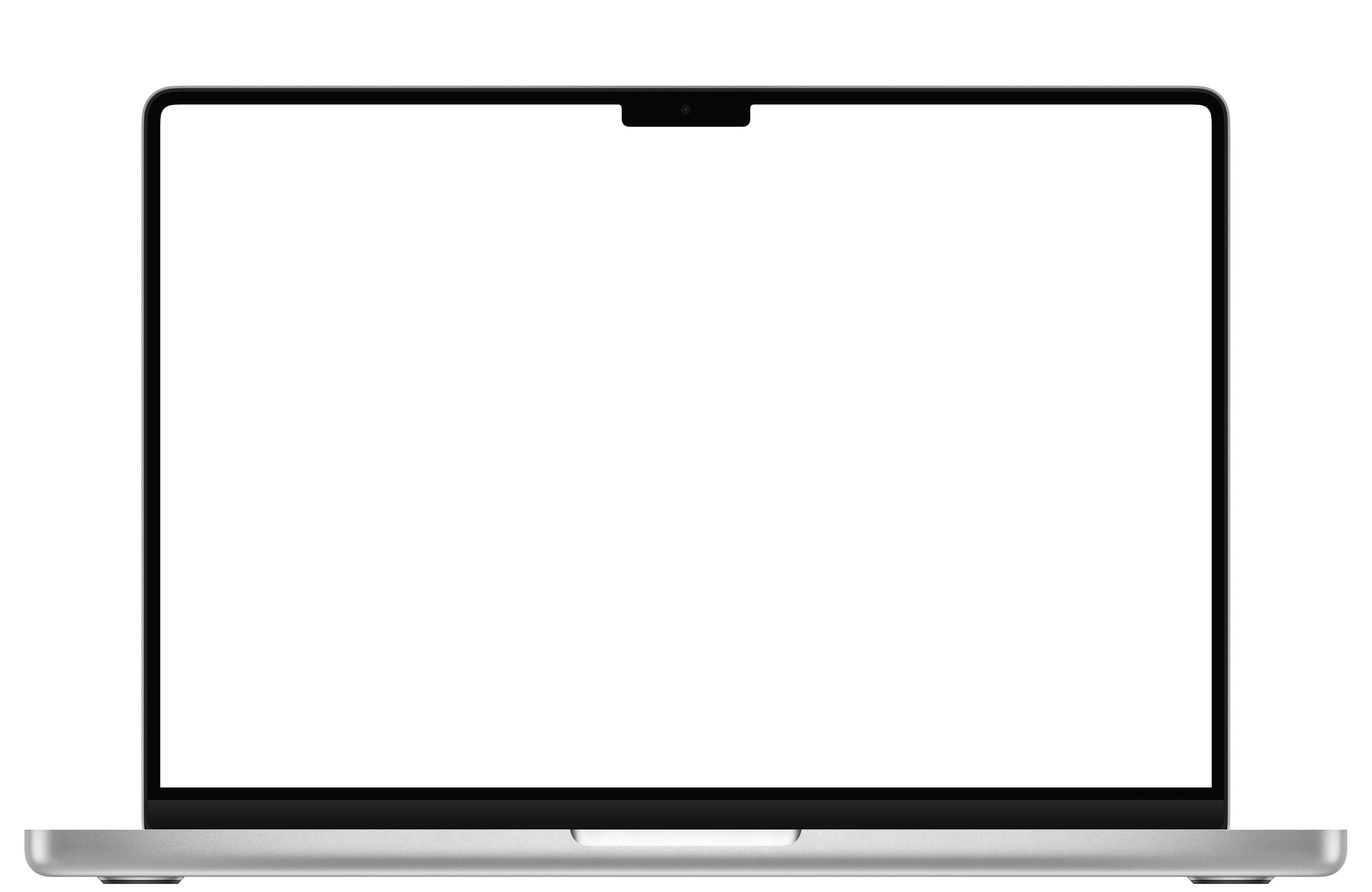
The MacBook notch started life as a camera cutout that macOS does almost nothing with. Unlike the iPhone's Dynamic Island, Apple never gave it a job. In 2026, third-party apps have turned that black bar into a small software shelf: media controls, Live Activities, widgets, a file shelf, clipboard history, translation, screenshot tools, and even AI-agent status.
The best notch app depends on what you want the notch to do. Some turn it into a Dynamic Island-style media hub, some into a full dashboard, some just hide it. This guide breaks down the most popular options, who each one is for, and what they cost.
Quick disclosure: we make OneNotch, one of the apps below. We have tried to rank every app on its merits and to be honest about where OneNotch is not the right pick. Prices and features were last checked on September 30, 2026; check each app's own site before you buy.
What a Mac notch app can actually do
Notch apps are not all solving the same problem. Before you pick one, decide which of these jobs you want most.
- Media and system feedback. Now Playing, album art, floating lyrics panels, and clean volume or brightness HUDs around the notch.
- Live Activities and widgets. Charging, Focus, timers, and glanceable info in a Dynamic Island style.
- A file shelf. A persistent drop zone for screenshots, downloads, and files you are moving between apps.
- Files and windows. A shelf that holds files, or actions that resize, convert and compress them on the spot, plus dragging a window to the notch to tile it.
- Clipboard and text. History of what you copied, reusable snippets, and quick paste.
- Translation. Translate selected text without moving the sentence into a browser tab.
- Screenshots and OCR. Capture, annotate, extract text, and keep the result close to the workflow that needs it.
- AI-agent status. Keeping coding agents like Codex and Claude in sight: usage, approvals, and running tasks.
- Focus timers. A Pomodoro or countdown that keeps running when the notch is closed.
- Hiding the notch. A cosmetic black menu bar so the cutout disappears.
- Battery and performance. A notch app runs all day, so it should cost essentially nothing at idle. Ask whether the developer has ever published measured numbers, not just the word "lightweight."
Most apps are great at one or two of these. A few try to cover many at once.
Quick comparison
| App | Price | Best for | Standout feature |
|---|---|---|---|
| OneNotch | Free · Pro $9.99 lifetime, or $6.99 with code LAUNCH30 | An all-in-one productivity notch | Clipboard, AI agents, Translate, Screenshot, File Actions, published CPU and memory numbers |
| NotchNook | $25 one-time (5 Macs) or $3/mo | Power users who want a dashboard | Folder management and a file shelf |
| Alcove | $14.99 one-time (72-hour trial) | Live Activities fans | Lock-screen widgets, multiple live activities |
| Boring Notch | Free (open source) | Budget setups | Free media controls and system HUDs |
| Droppy | $9.99 list price, one-time (3-day trial), lower in many countries | A file shelf plus clipboard | Shelf, clipboard manager, extensions, meeting controls |
| Seam | One-time, no subscription | A minimal media hub | Low battery impact, activates on change |
| MediaMate | ~€7 one-time | Simple daily media | Polished volume and brightness overlays |
| TopNotch | Free | Hiding the notch | Black menu bar blend |
The best Mac notch apps in 2026
1. OneNotch — the all-in-one notch, built around clipboard and AI agents
OneNotch wraps the tools you reach for most around the notch: clipboard history, selected-text translation, screenshot OCR and Quick Access, Now Playing with a resizable floating lyrics panel and a visualizer, Live Activities, a calendar glance, and lock-screen widgets. What no other app in the ranked list does is put AI-agent status on the notch. If you run coding agents like Codex or Claude, OneNotch shows live responses, quota, approval requests, and running tasks right where your eyes already are, so you stop babysitting a terminal window.
The clipboard side is unusually deep for a notch app. It is a full clipboard manager: searchable history by type, boards with ⌘1/⌘2/⌘3 paste, a floating panel at your cursor, full keyboard navigation, built-in OCR, and Copy Stack (double-press ⌘ to collect clips, then paste them in order with ⌘V). It also includes powerful source tracking (Go to Source), 15 text transform tools, and instant Google search. It is native SwiftUI and AppKit, private by design, and works with or without a physical notch.
OneNotch 2.0, released on September 30, 2026, widened that further. Pill mode gives Macs without a notch a pill in the middle of the menu bar, so the same app works on a Mac mini, an iMac or an M1 MacBook Air. Smart File Actions let you drag a file onto the notch to resize, convert, compress or OCR an image, remove its background, turn a video into MP4 or pull its audio, merge PDFs, or unzip an archive, with the result saved next to the original. Snap Zones tile a window when you drag it up to the notch, and a Focus Timer counts down in the notch even when it is closed.
The new Translate workflow reads a selection from almost any app and shows the result in the notch or beside the text. It can use Apple's downloaded on-device language pair, key-free online services, or an optional bring-your-own-key AI model. The Screenshot toolkit adds area, window, full-screen, repeat-area, Markup and OCR capture; a full annotation editor; capture history; and Quick Access. Pro adds scrolling and smart-element capture, automatic redaction, background removal, image translation, and presentation effects.
The AI-agent page is the part most people notice first. It shows each running Claude Code or Codex session with its last message, Git branch and tools used, plus a usage tab with cost, tokens and the 5-hour and weekly quota windows, and it rings when an agent finishes or a quota resets.
Carrying three apps' worth of function on the notch makes efficiency harder, not easier, so we profiled it with Apple's own tools and published what we found: roughly 7–10% CPU at idle and about 200MB of memory, with clipboard, agents, and media all running. That memory figure is about the floor for a native SwiftUI app that keeps a history. The full write-up, including the numbers we were not proud of, is worth reading before you trust any notch app with your battery.
What it does well:
- The broadest feature set here, plus AI-agent status that no other ranked app offers
- A genuinely deep clipboard: Copy Stack, boards, OCR, Go to Source, text transform tools, instant Google search
- Translate selected text in the notch or a floating panel, with a strict on-device option
- Screenshot capture, OCR, annotation, history, and Quick Access on the free tier
- Free File Actions, window Snap Zones and a Focus Timer, plus passcode-locked clipboard boards for everyone
- Pill mode, so it also works on Macs without a notch
- Media controls with floating lyrics, Live Activities, calendar, and lock-screen widgets
- Native and measured: roughly 7–10% CPU idle and about 200MB of memory
- Local-first and private, with an app exclusion list for sensitive copies
What it doesn't:
- No persistent file shelf. File Actions process a file on the spot and save the result beside it, but nothing stays parked on the notch. If you want a folder drop zone, NotchNook, Droppy or Peninsula are more focused.
- Newer app with a shorter track record than NotchNook or Boring Notch
- Requires macOS 15 or newer on Apple Silicon
Price: free, and useful on its own. The free tier includes core translation plus everyday screenshot capture, OCR, the complete annotation toolbox, history, and Quick Access. Pro is a one-time purchase at $9.99 lifetime, or $6.99 with code LAUNCH30, covering up to 2 Macs and unlocking the advanced screenshot and translation features, 1,000 clipboard items kept as long as you like, iCloud sync and more window layouts. A $24.99 Supporter plan adds 5 Macs and a badge, with the same features. The full Free vs Pro table and a feature-by-feature comparison with other notch apps are on the site.
For whom: anyone who wants one lightweight app for the whole notch, especially people who copy and paste constantly or work with AI coding agents.
2. NotchNook — the most feature-rich dashboard
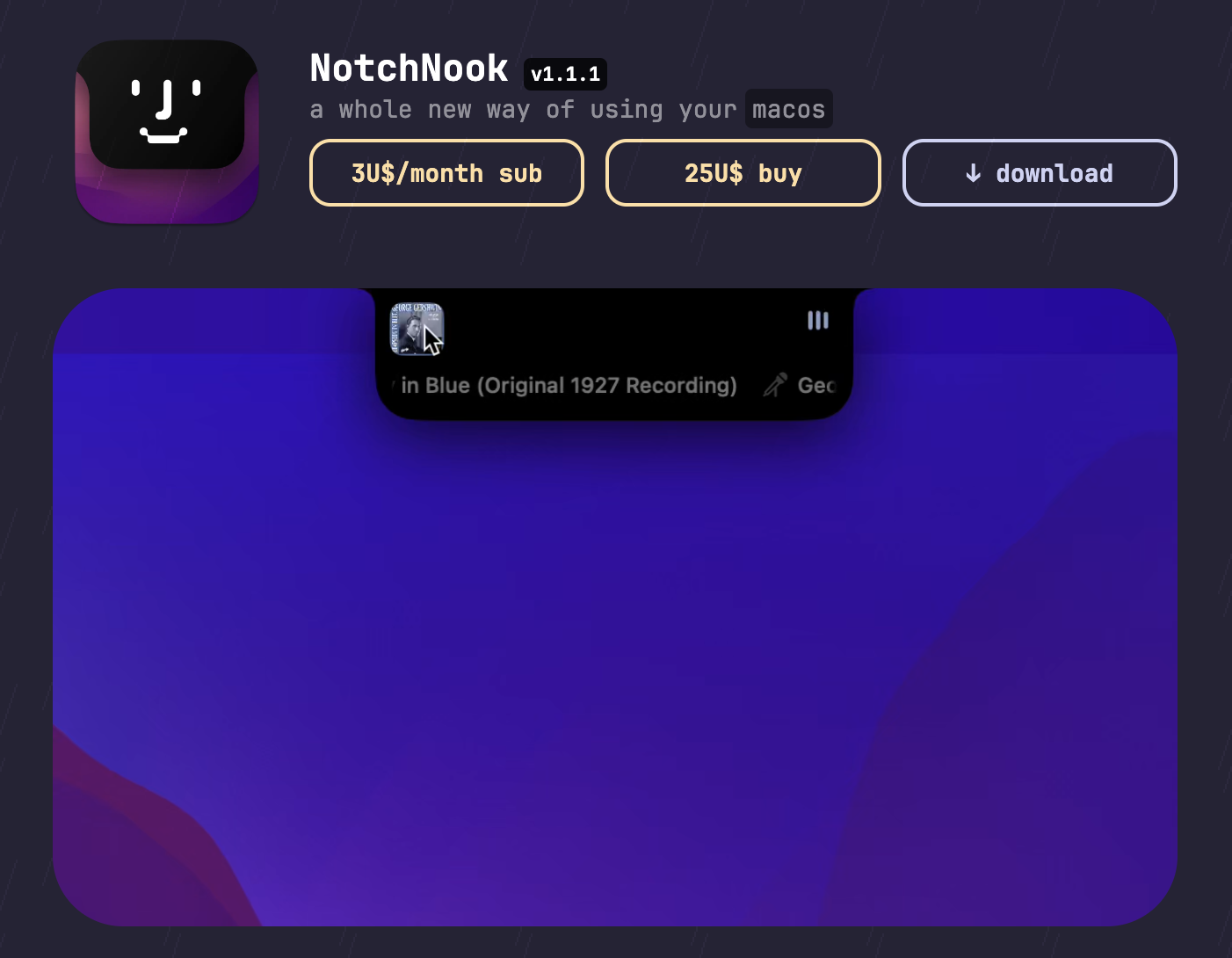
NotchNook is the app that treats the notch as a real desktop extension. Its standout is folder management and a drag-and-drop file shelf: pin folders, drop screenshots and downloads, and grab them later without opening Finder. It also adds widgets, media controls, themes, haptics and Shortcuts support, and it is the longest-established paid app in the category.
Best for: power users who want a broad, customizable dashboard and a file drop zone at the top of the screen.
Trade-off: it tries to do a lot, so it is less specialized than single-purpose apps, and the pricing ($25 one-time for five Macs, or $3/month for two, also on Setapp) is at the higher end.
3. Alcove — best for Live Activities and the lock screen
Alcove leans hard into the Dynamic Island feel. It replaces the volume and brightness HUDs, shows live activities with real-time updates, and supports swipe gestures. It is built natively in Swift and is the standout here for multiple simultaneous live activities and lock-screen widget support.
Best for: people who want the notch to feel alive and polished, with lock-screen presence.
Trade-off: it enhances the experience more than it changes your workflow. At $14.99 one-time, after a 72-hour trial, it is media and activities first, not a clipboard or productivity tool.
4. Boring Notch — the best free, open-source option
Boring Notch has a passionate following and thousands of GitHub stars. It brings a Dynamic Island-like feel for free: now-playing controls with a visualizer, calendar and reminders, a file shelf with AirDrop, a Pomodoro timer, and HUD replacements. It works on non-notch Macs too.
Best for: budget setups and anyone who wants to try the concept without paying.
Trade-off: it is unsigned, so you allow it in Privacy and Security, and some users report occasional bugs and higher RAM use with the visualizer on.
5. Seam — the polished, low-battery media hub
Seam brings the Dynamic Island experience to macOS with restraint: Now Playing with album art, focus-session tracking, calendar previews, AirPods indicators, and battery status for connected devices. It only activates when something changes, so battery impact is minimal.
Best for: people who want a clean, native media hub that does a few things well without draining the battery.
Trade-off: it is intentionally focused. No file shelf, clipboard, or deep customization.
6. MediaMate — the simplest polished media feedback
MediaMate keeps it minimal: clean media controls plus polished volume and brightness overlays around the notch. It does one job well and stays out of the way otherwise.
Best for: simple daily usage where you just want beautiful media and system feedback.
Trade-off: it is not trying to be a dashboard, clipboard, or productivity layer. Priced around €7 one-time.
7. TopNotch — best if you just want the notch gone
TopNotch is not a productivity app. It makes the menu bar black so the notch blends into the display. On a MiniLED screen it becomes nearly invisible.
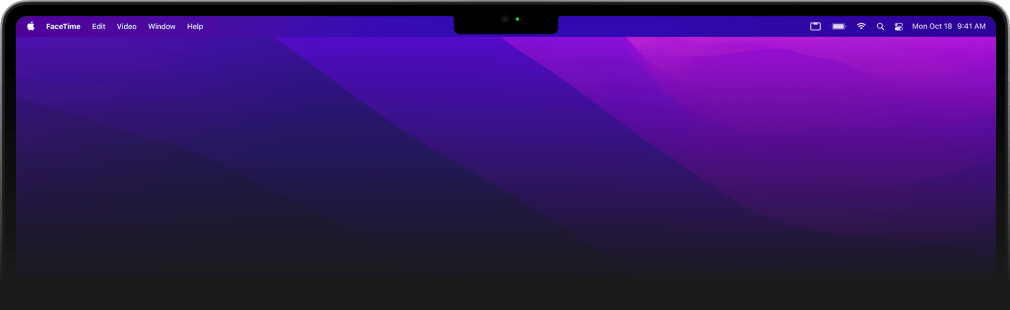
Best for: people who dislike the notch visually and want it to disappear.
Trade-off: you lose all the functionality the other apps add. It is free and purely cosmetic.
Also worth a look
- Droppy ($9.99 list price, one-time, 3-day trial, two devices, regional pricing) is a drop shelf with a clipboard manager, meeting controls, a focus timer and a long list of small extensions. It is the closest rival to OneNotch on file handling.
- MacNotch ($22.99 one-time or $3.99/month, 14-day trial) is a customizable hub with about 19 optional modules, and it also monitors AI coding tools.
- DynamicLake Pro ($13.99 one-time) mixes clipboard history, file conversion and media control with a Liquid Glass look.
- Atoll (free, open source) has clipboard history, system stats and lock-screen widgets, but it needs a notched MacBook.
- Peninsula turns the notch into a file-and-clipboard shelf, and NotchPad focuses on notes, clipboard, and snippets. Both are worth a look if a file shelf or a notes workspace is your single most important job.
How to choose
- You want one app for the whole notch, plus clipboard and AI agents. OneNotch.
- You want a customizable dashboard with a file shelf. NotchNook.
- You want a shelf that also has a clipboard manager, for less. Droppy.
- You love Live Activities and lock-screen widgets. Alcove.
- You want free and open source. Boring Notch.
- You want a clean, battery-friendly media hub. Seam.
- You just want polished media feedback. MediaMate.
- You want the notch to disappear. TopNotch.
Our pick
If you want the notch to do the most for you, OneNotch is where we would start: it covers media, Live Activities, calendar, and lock screen like the others, then adds a serious clipboard, translation, screenshots, file actions, window snapping and AI-agent status — with its idle CPU and memory measured and published, which is the part most all-in-one apps skip. If your single priority is a drag-and-drop file shelf, NotchNook or Droppy is more focused; if it is pure Live Activities polish, Alcove wins; and if you want free and open source, Boring Notch is the pick. If OneNotch sounds like your setup, download it free and try it on your own Mac.
Frequently asked questions
What is the best Mac notch app in 2026?
It depends on the job. For an all-in-one notch that handles clipboard history, translation, screenshots, file actions, and AI-agent status, OneNotch is the broadest pick. For a customizable dashboard with a file shelf, NotchNook leads. For Live Activities and lock-screen widgets, Alcove stands out. For a free, open-source option, Boring Notch is the go-to.
Which MacBooks have a notch?
The MacBook Pro 14-inch and 16-inch (2021 and later) and the MacBook Air 13-inch (M2, 2022 and later) and 15-inch. Most notch apps, including OneNotch, Boring Notch, and NotchNook, also run on Macs without a notch by simulating a notch area at the top of the screen.
Do notch apps drain battery?
Some genuinely do, which is why the category has the reputation. A notch app runs from login to shutdown, so anything that animates or polls non-stop costs you real battery. Well-built ones stay modest whenever you are not interacting with them: OneNotch measures roughly 7–10% CPU at idle and about 200MB of memory, and Seam is designed to act only when something changes. Always-on visualizers, such as Boring Notch's music visualizer, use noticeably more. The test takes two minutes: open Activity Monitor, watch the CPU tab, then check Energy Impact. We published our own numbers and method so you can hold us to the same test.
What is the best free notch app for Mac?
Boring Notch is the best fully free, open-source option for media and system controls. OneNotch also has a free tier that covers AI-agent status, media, Live Activities, calendar, clipboard history, core translation, file actions, everyday screenshot capture, OCR, and annotation, with an optional lifetime Pro upgrade.
Which notch app is best for AI coding agents?
OneNotch. It is the only app in the ranked list that shows AI-agent status on the notch, including live responses, cost, tokens, quota windows, approval requests, and running tasks for tools like Codex and Claude. MacNotch, a newer paid app, also monitors AI coding tools.
Do notch apps work on a Mac without a notch?
Most do. OneNotch uses Pill mode to show the same interface as a pill in the middle of the menu bar, and Boring Notch, NotchNook and Droppy also run on Macs without a notch. Atoll is the exception: it needs a notched MacBook.