
When an agent needs your permission to run a command, the notch opens on its own with a permission card. You answer right there and the agent carries on, without the terminal needing to be in front.
Answer a permission request
The card asks Allow … to continue? and shows the command the agent wants to run. Choose:
- Allow (or Allow once): lets it run this time.
- Always: appears when Claude Code suggests a permission rule; choose it so you aren't asked again for similar commands.
- Deny: doesn't let it run.
- Tell …: denies the request and tells the agent to do it another way. Type your instructions (for example "use a read-only command instead") and press Return. The agent receives your instructions and continues accordingly.
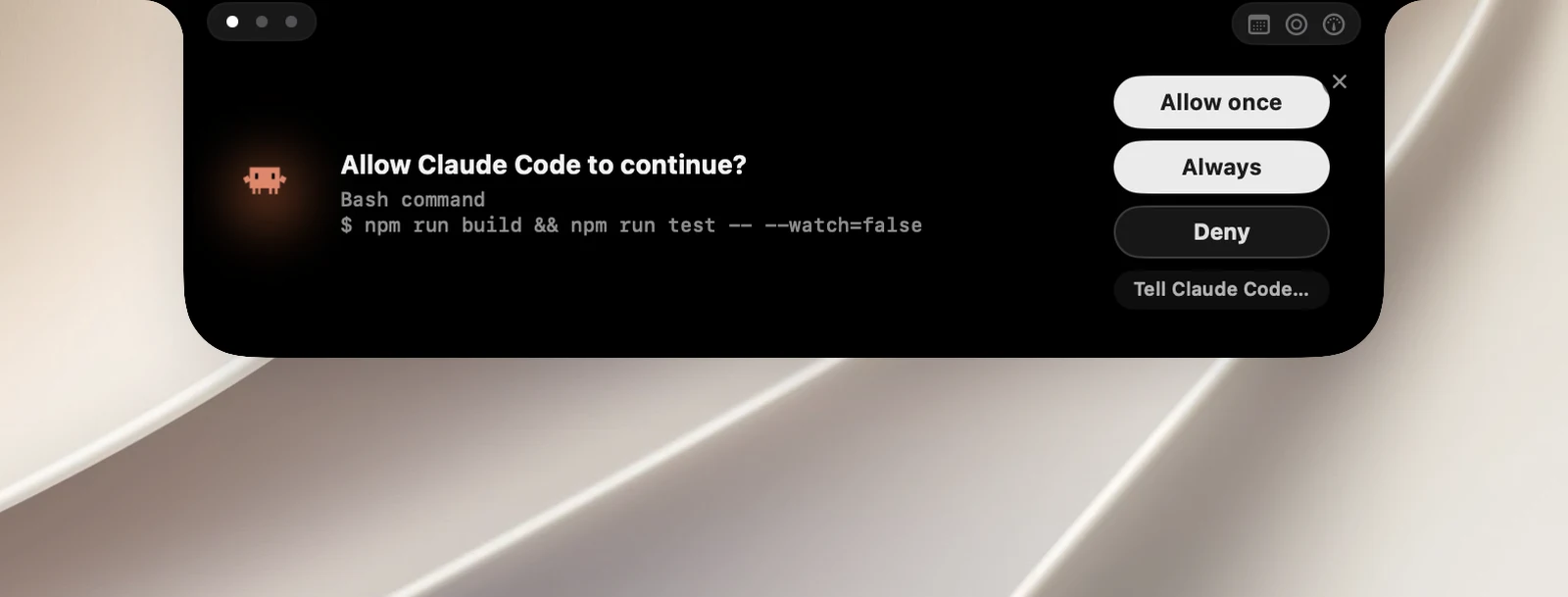
After you answer, the notch closes on its own if it opened on its own.
When the card opens on its own
- The card opens on its own only when that session's terminal isn't in front. If you're looking at the terminal, just answer there.
- Click ✕ on the card to dismiss it. The closed notch keeps the orange !; click it to open the card again.
- You can also answer right in the session's row on the AI page.
Answer Claude's questions
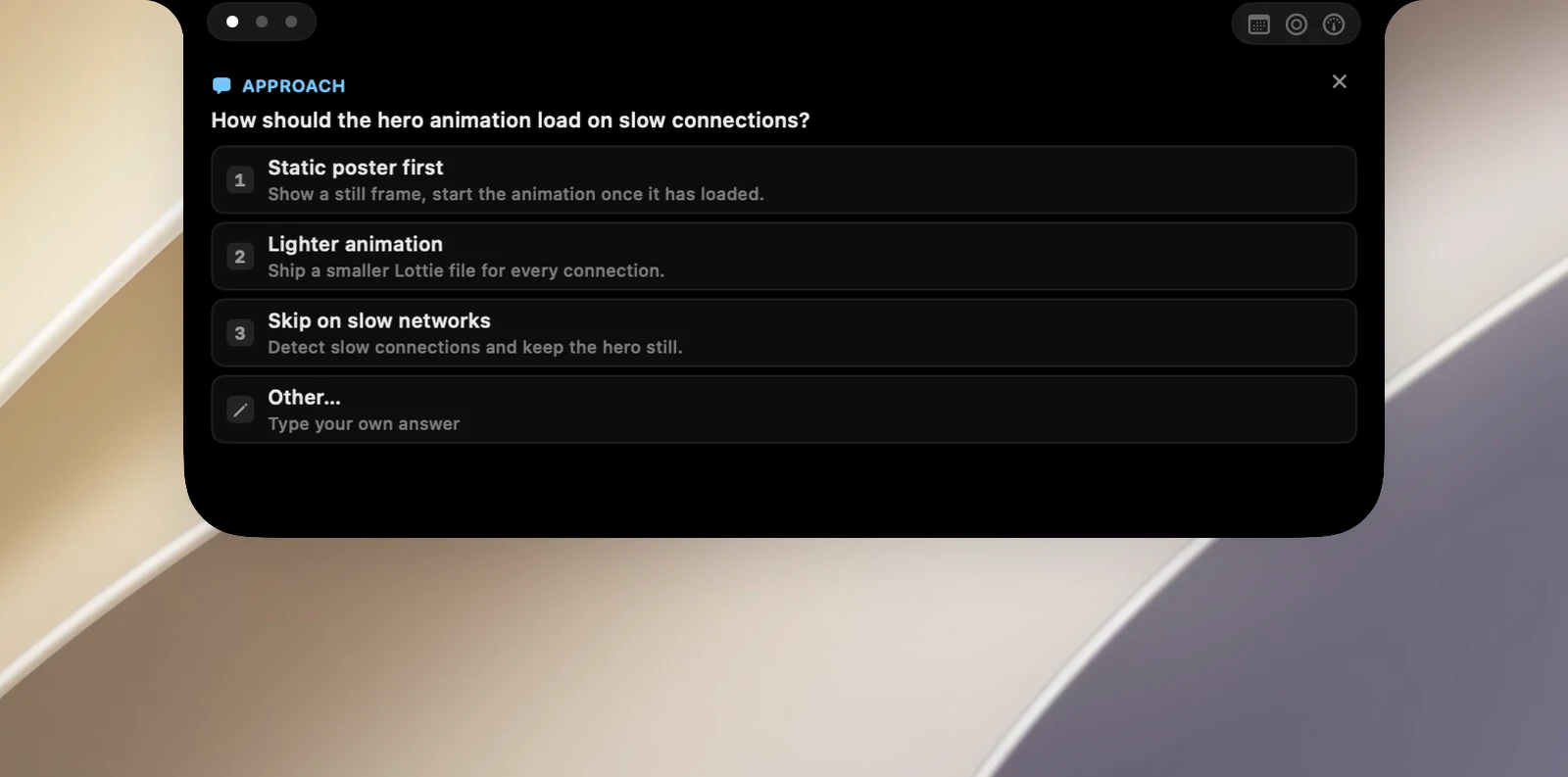
When Claude Code asks you a question with options, the notch shows each question with numbered options. Click an option, or choose the write-in option, type your answer in the Type your answer… field and send it. For questions that allow several choices, click the options and then confirm.
Notes
- If OneNotch isn't running, the agent asks you in the terminal as usual.
- If you answer in the terminal, the request on the notch disappears.
- With Codex, the Allow, Deny and Tell buttons all work. If you turn on automatic approval (Auto Review) in Codex, OneNotch lets Codex decide and doesn't ask you.
- Questions from the Codex app are only flagged on the notch (with !); you answer them in Codex.