
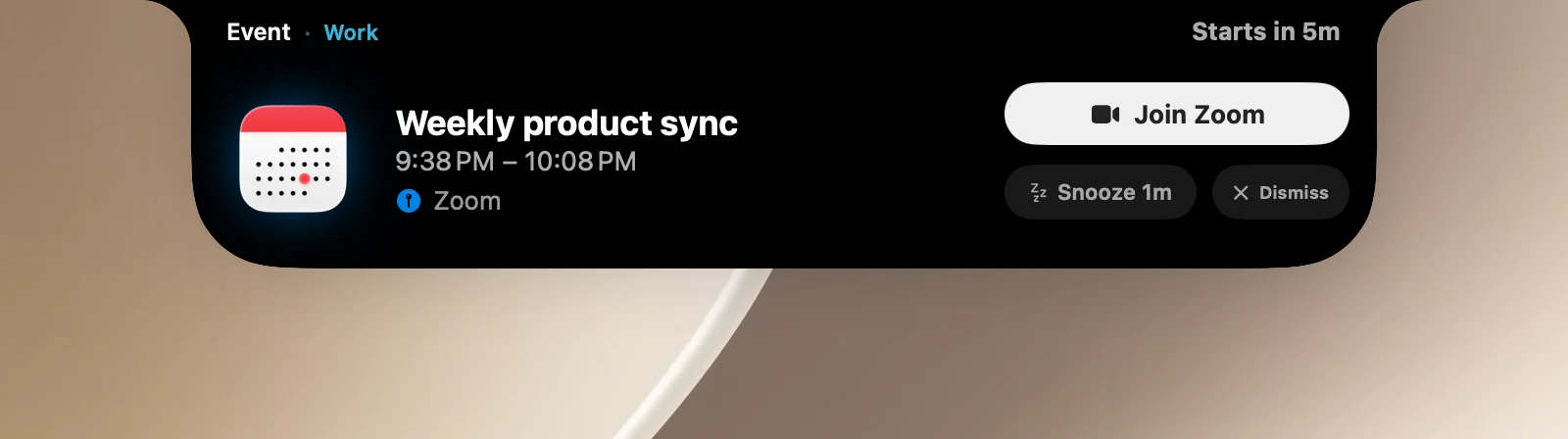
Before each timed event in Calendar, a card slides out under the notch so you don't miss the meeting.
On the alert card
- The event's name, time and location, plus a status like Starts in 5m or Starting now. Click the body of the card to open the event in Calendar.
- Join (Zoom, Teams, Webex, Whereby, Google Meet): opens the meeting link and closes the card.
- Snooze: alerts you again after the time you set. Hover over the button to quickly choose +1, +2 or +3 minutes.
- Dismiss: skips this alert. Later occurrences of a repeating event still get alerts.
- For timed reminders, the Mark Done button marks the reminder as done in Reminders.
The card hides on its own after 30 seconds; hover over it to keep it. When several events happen at once, the card has ‹ › buttons to go through them.
Settings
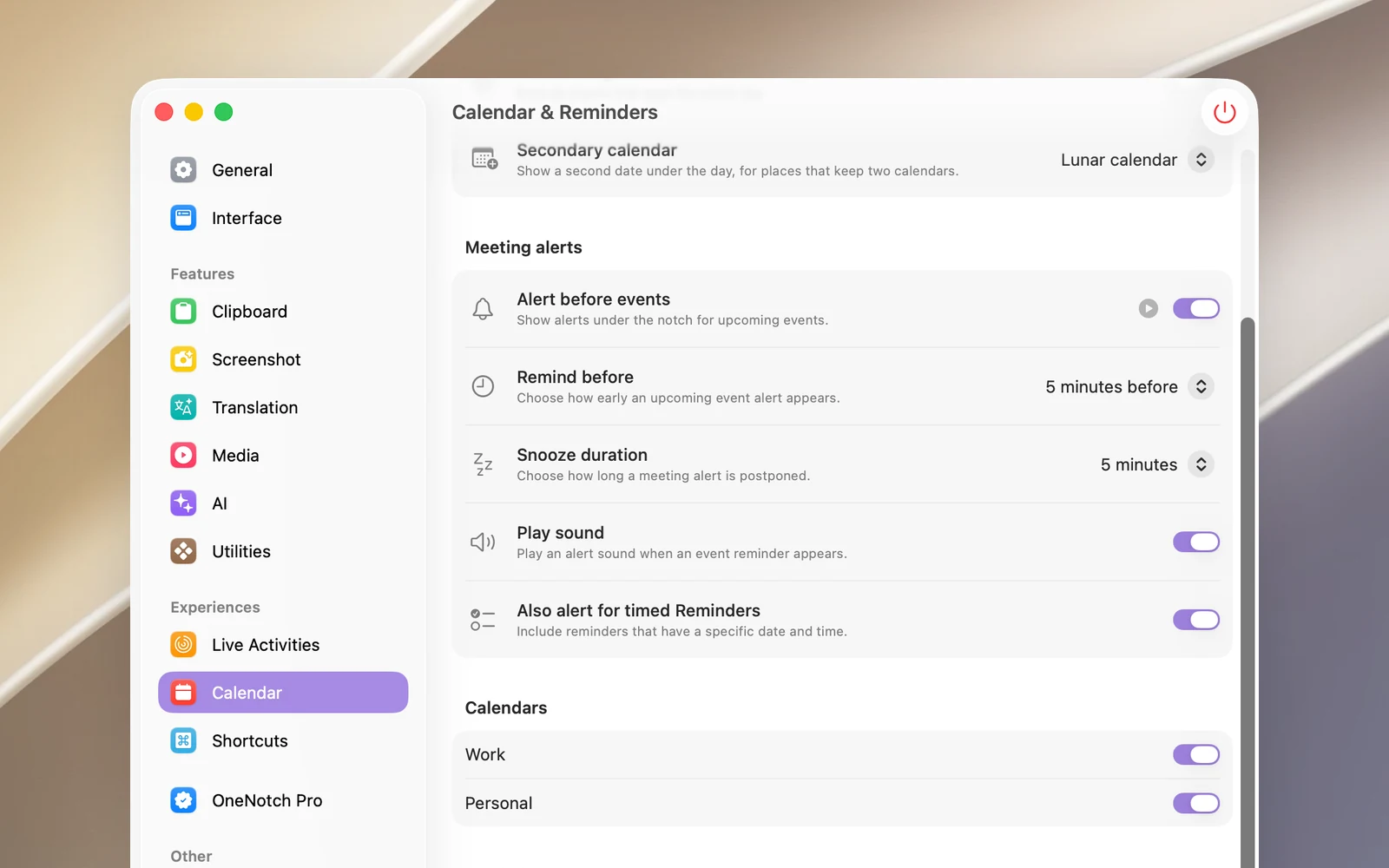
Go to Settings › Calendar › Meeting alerts:
- Alert before events (on by default). Click ▶ Preview in the notch to try it.
- Remind before: from At start time to 1 day before (default 5 minutes before).
- Snooze duration: 1 to 15 minutes (default 5 minutes).
- Play sound (on by default).
- Also alert for timed Reminders (on by default).
Good to know
- There are no alerts for all-day events, events you declined, birthdays, holidays, or calendars you deselected in Settings › Calendar.
- Requires access to Calendar (and Reminders for timed reminders). OneNotch doesn't ask for permission for this feature on its own; grant it in Settings › Calendar.
- If your Mac is asleep when an alert is due, the card still appears when you come back, as long as it's within 10 minutes after the meeting starts.