
The AI page in the notch lists your Claude Code and Codex sessions from the last 24 hours, up to the 6 most recent sessions for each agent.
Open the AI page
Open the notch and switch to the AI page (swipe sideways on the notch, or press Tab while the notch is open and the pointer is over it). The AI page is available only when Track AI agents is on.
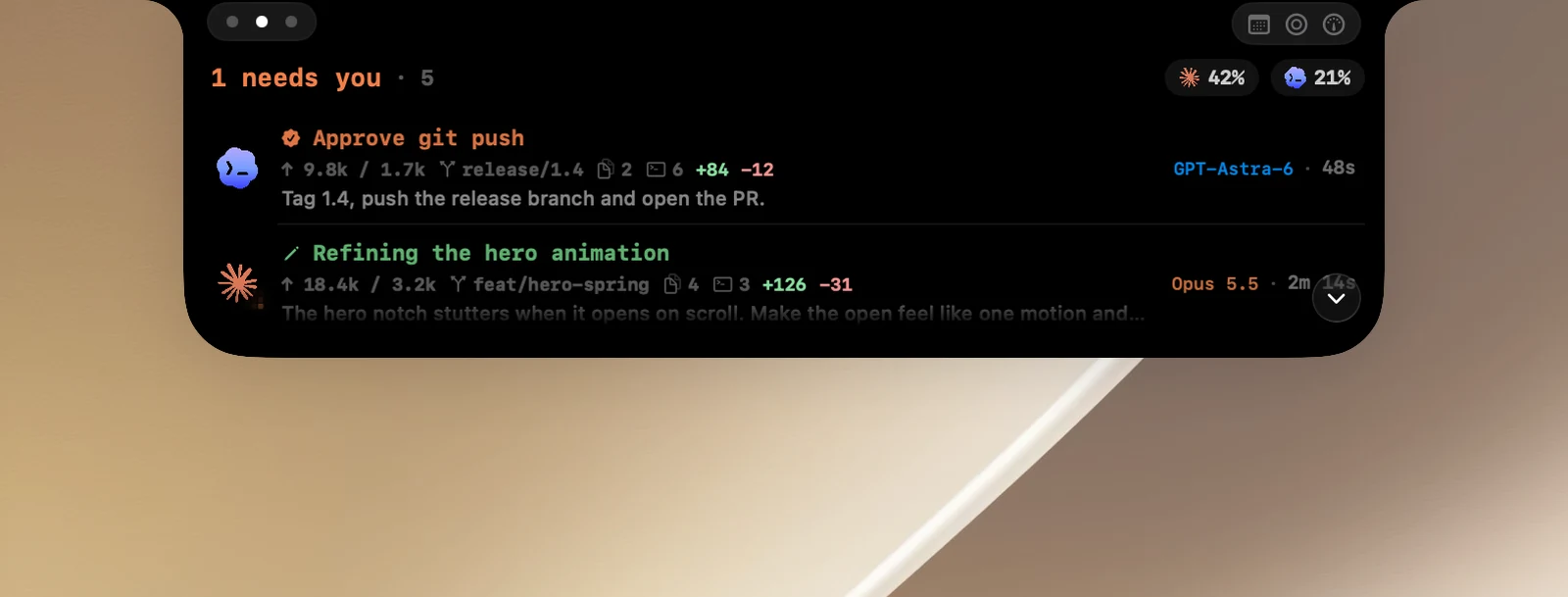
Read the list
- At the top: the overall status (how many sessions need you, are running, or that nothing needs attention) with the total number of sessions, and on the right, a quota chip for each agent once OneNotch has read its quota. Click a chip to open the usage page.
- Each row: what the agent is doing, token count, git branch, the number of files and commands it has run, lines added and removed, the latest prompt, the model and the time.
- A session with subagents shows an extra line with how many subagents it has and how many are running.
- At its normal height, the notch has room for about two rows; scroll the list to see the rest. When there are more than 3 sessions, the Expand arrow button in the bottom-right corner makes the notch taller so you can see more rows; click it again (Collapse) to go back.
Sessions are ordered by Settings › AI › Sort sessions by.
See a session's details
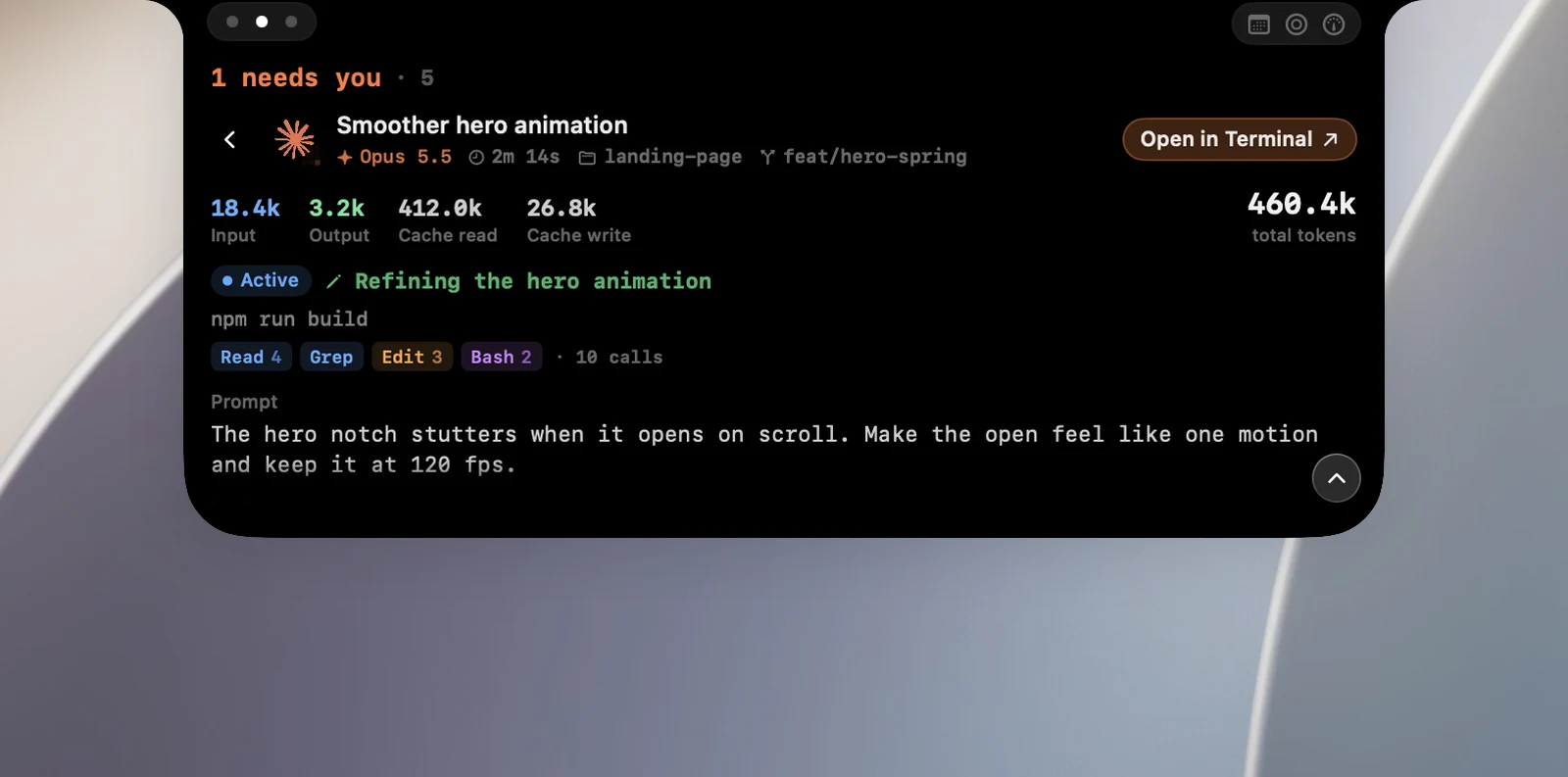
Click a row to open its detail page. It shows:
- Input, Output, Cache read and Cache write tokens and the total, updated live.
- The status, the current step and the tools it has used.
- Prompt and Last response.
- An Open in… button to switch to that session's terminal or app.
Click Back to return to the list.
If a session is waiting for your answer, clicking its row takes you straight to its terminal.
Tip
Press Esc in Claude Code to stop a turn. That session's row shows "Interrupted", and any pending requests on the notch are canceled.