
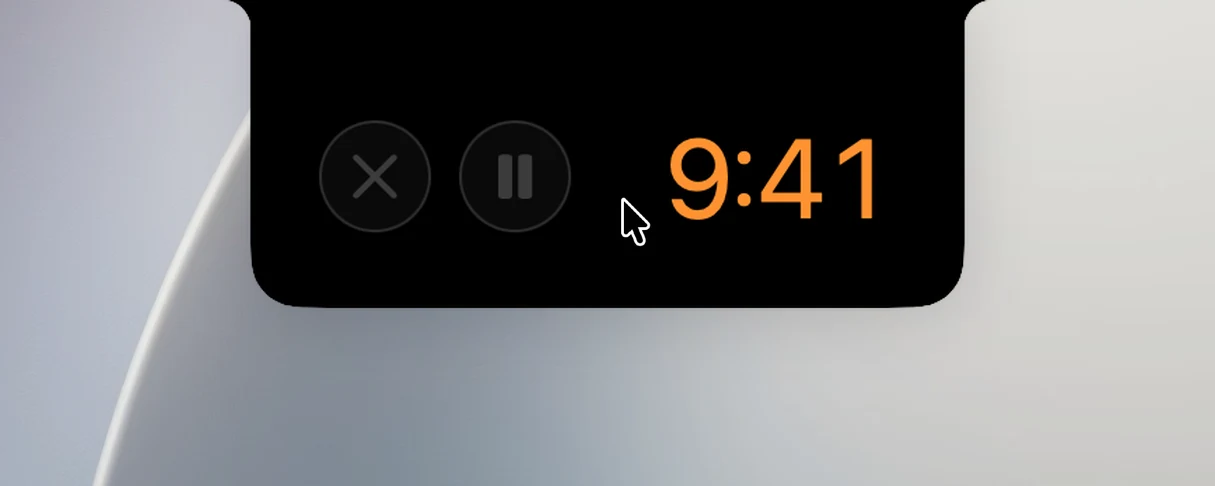
Set a timer in the macOS Clock app (or ask Siri, or use Control Center), and the closed notch shows the countdown: a small clock face on the left and the time remaining on the right.

Turn it on or off
Settings › Live Activities › Timers › Mirror Clock app timer (on by default).
Use it
- Hover over one side to see the time remaining in large numbers.
- When you pause or resume the timer in the Clock app, the notch pauses or runs along with it.
- When time is up, the Clock app plays its alert as usual.
Notes
- OneNotch only shows the timer and doesn't control it: pause, cancel or add time in the Clock app.
- Only one timer is shown at a time.
- Clock timers take priority over Pomodoro on the closed notch.
- No permissions are needed.