
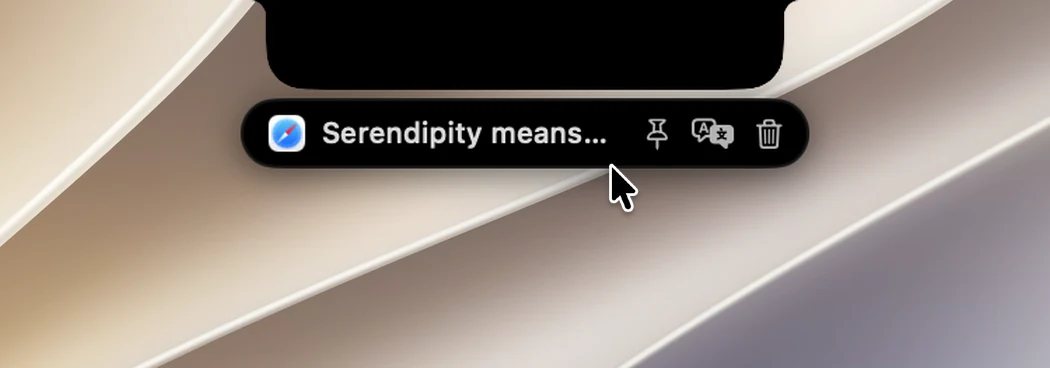
Each time you copy, OneNotch confirms it with a small toast under the closed notch: the source app's icon, a snippet of the content and the "Copied" label.
Act right on the toast
Hover over the toast to see:
- Pin: pins the clip you just copied to the Pin board.
- Translate (for text) or Open (when the clip is a link).
- Delete: removes the clip you just copied from your history.
The toast stays while the pointer is over it and hides on its own when you move the pointer away.
Turn it on or off
In Settings › Clipboard › Paste Behavior:
- Show "Copied" toast under the notch (on by default).
- Flash the menu bar icon on copy (on by default): the OneNotch icon in the menu bar briefly shows a ✓ each time you copy.
The toast doesn't appear while the notch is open or while Copy Stack is collecting.
Sounds
In Settings › Clipboard › Sound:
- Sound effects (on by default): the main switch.
- Copy sound and Paste sound: choose one of 6 sounds. You hear it as soon as you choose it.