
When you translate a single word, OneNotch shows a dictionary-style result instead of just one translation.
Dictionary results
- Pronunciation right below the original word.
- Meanings grouped by part of speech (noun, verb…).
- Synonyms and Definitions with example sentences. You see the most detail in the floating translation panel (click Open detailed translation in the notch).
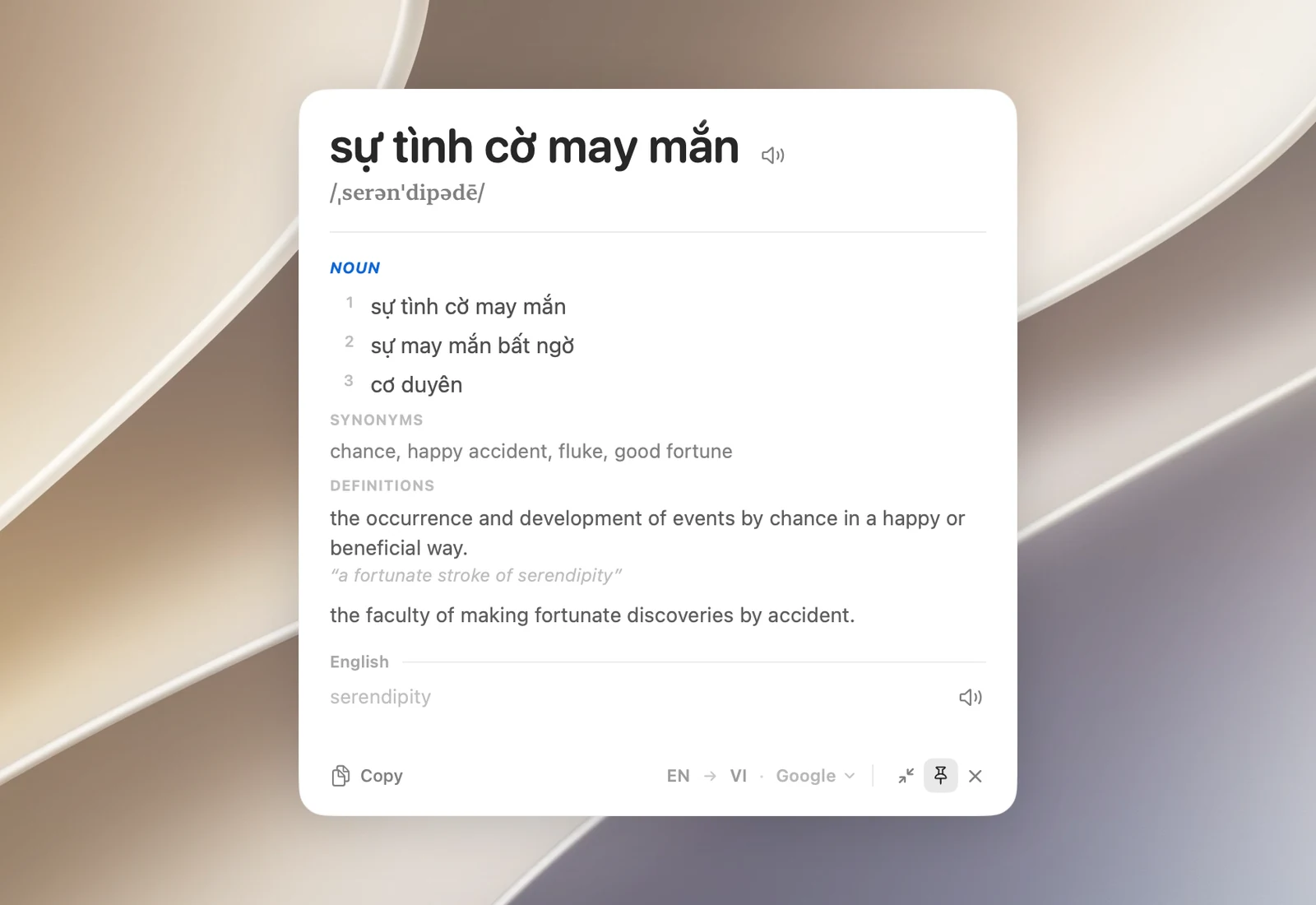
How much detail you get depends on the service: Google gives the most (meanings, phonetic spelling, definitions, examples, synonyms); Bing has meanings and phonetic spelling; AI models write their own meanings and IPA spelling; Apple (on-device) and Youdao give only the translation. With Automatic, single words are looked up with Google first.
For languages that don't use the Latin alphabet (Chinese, Japanese, Korean, Thai…), a Latin transcription such as pinyin or romaji always appears below the original text.
Hear the pronunciation
Click the speaker button beside the original word, the translation or the source line in the floating translation panel to hear it read in a natural voice. Click again to stop. The audio stops when you close the result.
The voice is generated online (through Bing), so the text is sent out to be read, even when you translate with Apple (on-device). When there's no voice for that language or you're offline, OneNotch uses a built-in macOS voice.