
Listening to Spotify and then opened a YouTube video? The notch picks the source that's playing on its own, but you can choose a different one.
Open the list of players
On the notch's player, click one of these (they all show the tooltip Change playback source):
- the app icon in the corner of the album art,
- the waveform icon beside the song title,
- the song title or the artist name.
The list of other players opens right below.
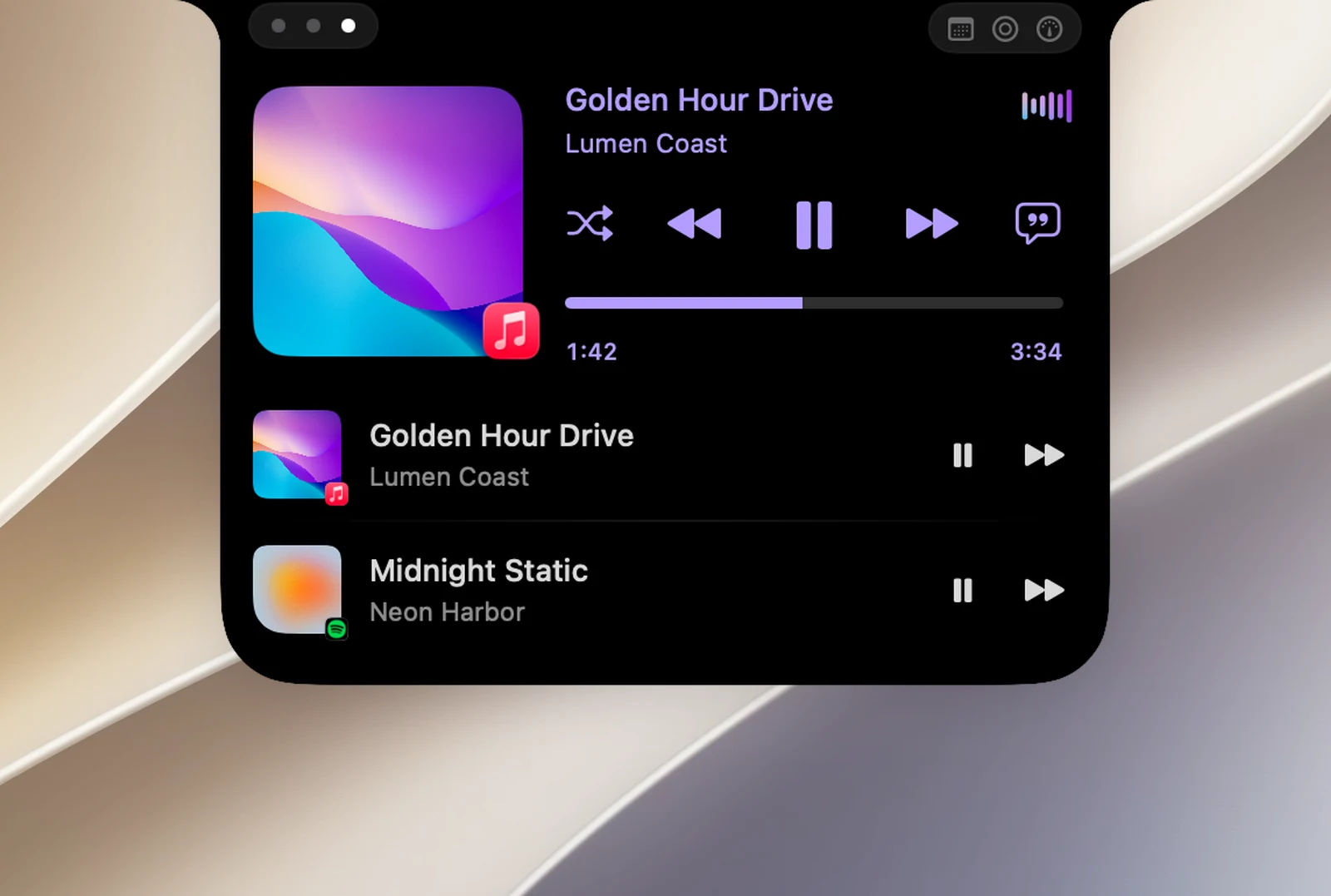
In the list
- Click the body of a row to have the notch follow that player.
- The play/pause and skip buttons on each row control that app without changing the player in the notch.
- Press Esc to collapse the list.
You can also right-click the player and choose Automatic or a specific app.
How long the notch keeps your choice
- Until a different app starts playing, or the app you chose quits. Then the notch goes back to choosing on its own.
- Your choice isn't remembered after OneNotch restarts.
- While the floating lyrics panel is open, the playback source stays the same. Close the panel to go back to automatic selection.