
OneNotch shows everything macOS considers "Now Playing": Apple Music, Spotify, browsers (YouTube, SoundCloud…), VLC and most other apps that play audio. No permission is needed to read what's playing.
Choose a playback source
Go to Settings › Media › Playback source:
- All apps (default): follows every app that's playing.
- Music apps: follows only Music, Spotify and the YouTube Music app, and ignores browsers.
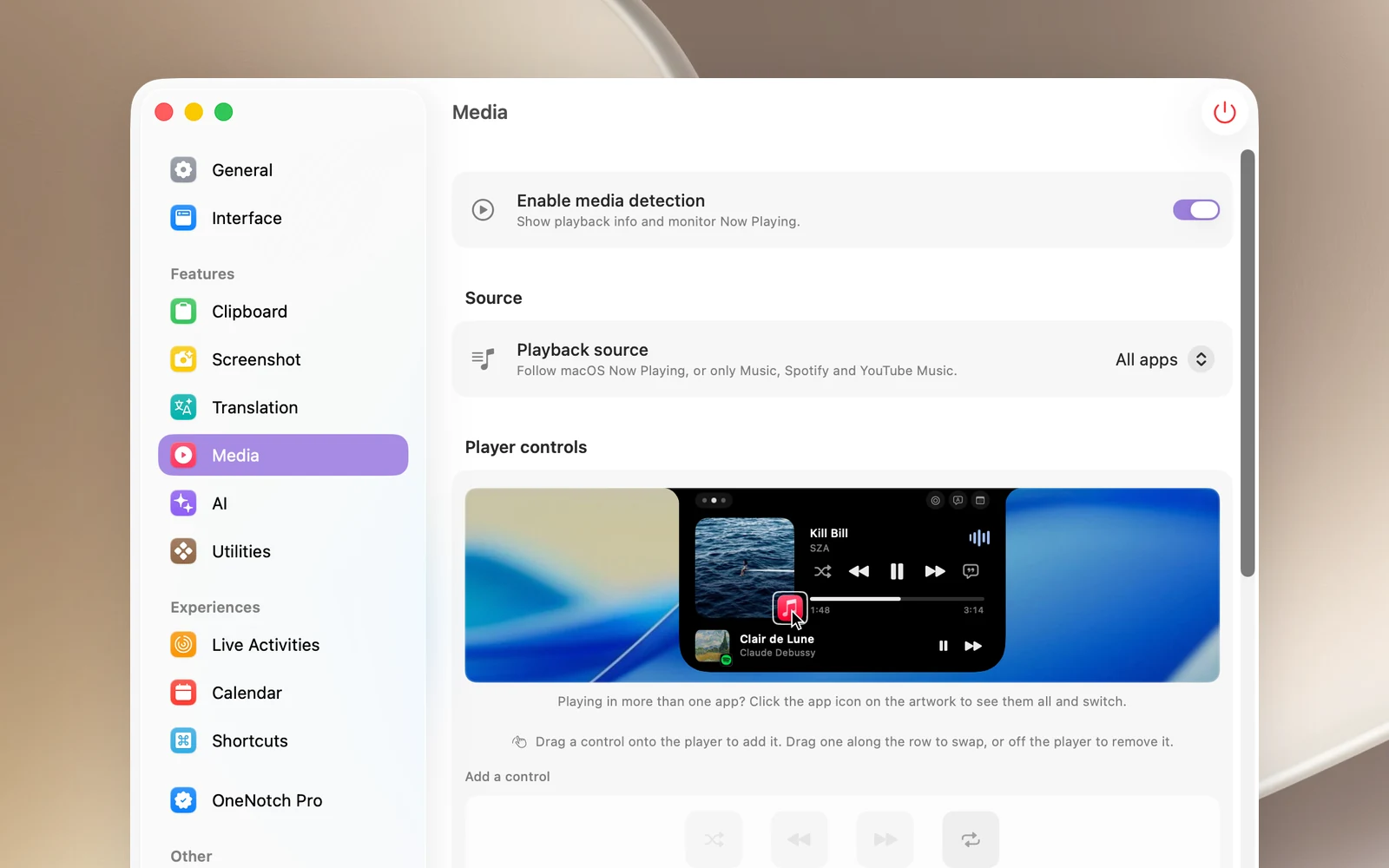
When several sources have something loaded, the one that's actually playing takes priority over one that's paused.
Apps with dedicated support
Beyond the general macOS "Now Playing" information, OneNotch controls these directly:
- Apple Music and Spotify.
- Google Chrome: the buttons and progress bar always act on Chrome, even when another app holds macOS's music controls.
- YouTube Music (the desktop app).
Known limitations
- Chrome and Safari report one playback session for the whole browser, not one per tab. If you pause one tab while another is still playing, the notch may keep showing the paused tab. Control Center in macOS shows the same thing.
- Safari doesn't send album art for YouTube videos; the notch uses the app icon instead.
Turn off the music features
Turn off Enable media detection to stop OneNotch from following music entirely. The Media controls page also disappears from the notch.