
Go to Settings › Translation › Service › Translation service to choose who translates for you:
- Automatic (default): uses Google first, switches to another free service if that fails, and never uses your AI keys. The order it tries is Google → Bing, then Youdao in regions where Youdao is available. A service that just failed is skipped for 5 minutes. If every online service fails, OneNotch translates on your Mac with Apple, but only if macOS has already downloaded that language pair.
- Apple (on-device): your text never leaves your Mac. If macOS hasn't downloaded the language pair, OneNotch shows an error instead of going online. You can download more languages in the Language & Region settings of macOS.
- Google, Bing.
- Youdao: only available in some regions (such as Vietnam, China, Taiwan, Singapore and Malaysia) or when the interface is in Chinese.
- Claude, ChatGPT, Gemini: appear after you enter an API key (see below).
On a translation result, click the service name chip in the bottom corner to translate again with another service. That choice is also saved as your default service. Automatic is at the top of this list, along with the order it tries; when you're using Automatic, the service that just answered has a small dot beside it.
Use Claude, ChatGPT or Gemini
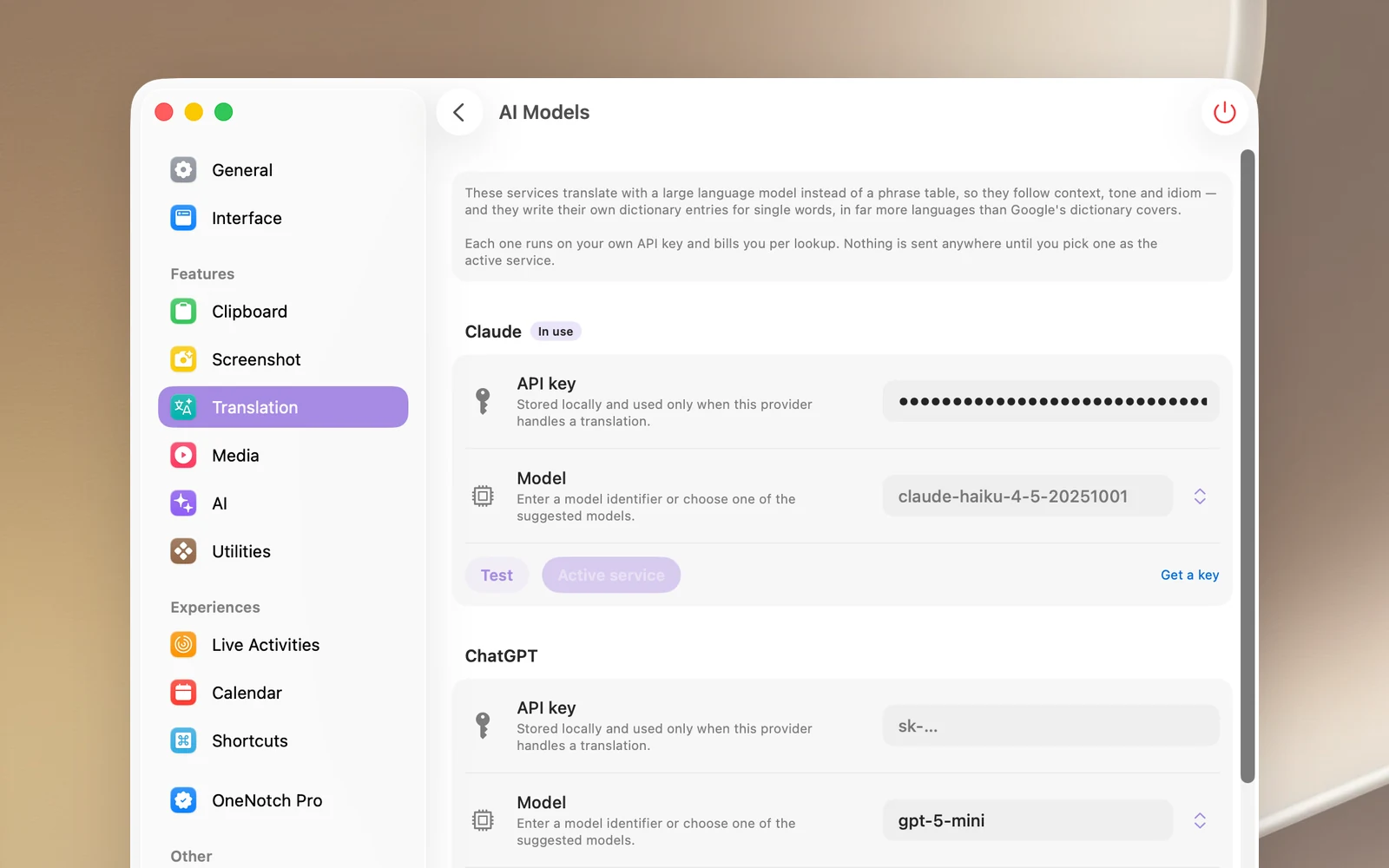
- Go to Settings › Translation › Service and open AI Models.
- For the provider you want, click Get a key to open the page where you create a key, then paste the key into the API key field.
- Optional: type a model name in the Model field, or pick one from the suggestions. Choose Use default to go back to the default model.
- Click Test to try translating a short sentence.
- Click Use for translation. That provider shows the In use label.
Good to know
- Your text is sent to the provider you choose, and the cost is charged to your API account.
- API keys are stored on this Mac.
- If the AI provider returns an error (wrong key, rate limit), OneNotch shows the error rather than switching to Google on its own. Click the service chip to try another service.